

Job cards and ticketing
A job card for every job: workshop repairs, call-outs, walk-ins and remote sessions, each following a route made for that kind of work — booked in, done, invoiced. Every remote session opens its own job card with the time spent, and every finished job lands in the office's billing queue. For IT companies, repair shops, call-out businesses and anyone else who works on other people's things.
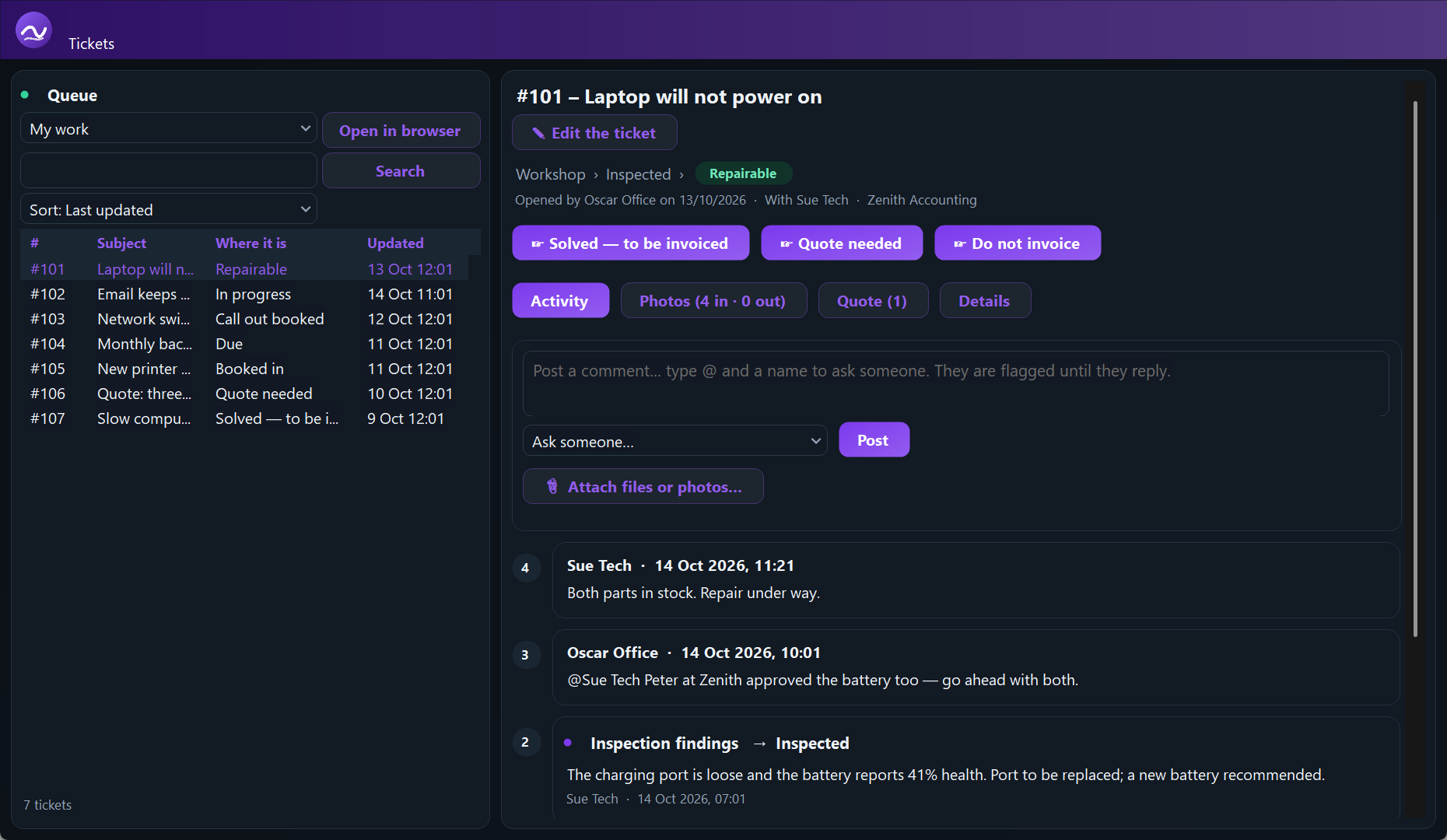
A route for every kind of job
Workshop
Booked in with three photos, inspection findings, repairable or not, quote, the work done written into the job, collection or delivery with photos out. A damage report when it cannot be repaired.
Call-out
Booked, rescheduled when it has to be, the work and time recorded on site, paid there by cash or card machine — or brought back to the workshop on the same ticket.
Walk-in and remote support
Fixed at the counter or over a session, invoiced or paid there, or linked into a bigger job for the same client.
Recurring tasks
Set up a daily, weekly or monthly task once — maintenance, billing, meter readings — and its ticket opens by itself each time, with the right people on it.
Each ticket reads like a story: what happened at each step, by whom, with the next steps as buttons. Made a mistake? Go back a step. Several people can be on one ticket, and an @mention stays flagged until the person answers.
Your own job types. Switch off the kinds of job you never do, and the steps you do not use — quotes, asking suppliers for prices, inspection, delivery, photos in or out — and every route still finishes properly. A job already open keeps the route it started with.
Quotes to your suppliers
List the parts — with photos and serial numbers if you like — tick the suppliers, and a quote request goes out asking price, stock and delivery, signed with your own signature. One supplier goes in To; several go in Bcc, so nobody sees the others.
The office knows what to invoice
A finished job moves to the billing queue, and the office administrators are told at once. Nothing is closed until it has been invoiced or marked as not to be — so nothing is forgotten.
Tickets that come to you
- An email to your support address opens a ticket, and replies land on it — Microsoft 365 by signing in with Microsoft
- A contact form for your website that opens tickets
- Update the client from a ticket by email — their reply comes back onto it
- Every session on a customer's computer is its own ticket
- A support request from your app arrives with a picture of their screen
- Import your clients from a spreadsheet you already have
- A client added twice by mistake? Remove the copy, and everything on it moves to the right one
The whole team, one place
Owners, supervisors, technicians and office administrators each see what they need — tick the boxes a person needs, and one person can be several. Office chat for the team, a ding for a new message, a ring for a customer waiting. Works on a phone.
- Latest activity: every update on the tickets as it is posted — all of them, or only yours
- Assign a ticket to somebody and it is in their latest activity at once
- Sort the ticket list by any column, or group it by customer
- A due date on any ticket, with overdue jobs marked
- See at a glance when a customer has replied